
Phones don’t ring the way they used to.
What lands in a call center today is rarely a simple question. It’s a billing issue mixed with frustration, a support request that has already passed through chat, or a sales inquiry triggered by a missed callback. When response time slips even a little, customers notice. They hang up. They complain. Sometimes, they just disappear.
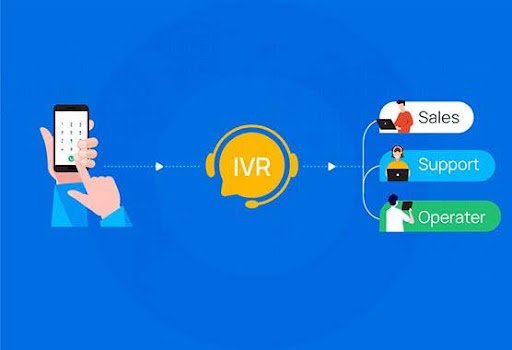
This is where IVR stops being a “phone menu” and starts behaving like a quiet traffic controller in the background—deciding who goes where, and how fast.
Understanding the role of an IVR calling system in real operations
An IVR calling system isn’t about forcing callers to press endless buttons. That outdated version still exists, but serious support teams moved on years ago.
At its core, IVR is about intent. Why is the person calling, and what’s the fastest way to get them help without bouncing them between agents?
In one SaaS support environment I observed, nearly half the incoming calls were simple status checks. No troubleshooting. No escalation. Just “Is my ticket updated?” Before IVR, those calls landed directly with agents, chewing up time and patience on both sides. After routing those requests through a short IVR flow connected to ticket data, live agent load dropped sharply within weeks. Same call volume. Better outcomes.
That’s the real shift. Less chaos on the floor. Less waiting on the caller’s side.
Where customer response actually improves (and why it matters)
Response isn’t only about speed. It’s about relevance.
When an IVR calling system is designed properly, customers don’t feel delayed—they feel directed. The system listens (sometimes literally, through voice input), understands the request, and sends the call where it has the highest chance of being resolved.
A few things happen immediately:
- First-contact resolution goes up because calls reach the right team faster
- Queue frustration drops since callers aren’t stuck behind unrelated issues
- Agents perform better because they start conversations with context, not confusion
I’ve seen call centers cut repeat calls simply by changing IVR logic. Not adding staff. Not extending hours. Just asking better questions at the start.
The difference between helpful IVR and annoying IVR
Most people don’t hate IVR. They hate bad IVR.
The problem shows up when systems are built around internal org charts instead of customer intent. “Press 1 for accounts, press 2 for support” assumes callers know how your business works. They usually don’t.
Smarter setups flip the logic. They start with outcomes:
- “Are you calling about an existing issue or something new?”
- “Is this related to billing, service access, or account changes?”
Short. Clear. Humans.
Platforms like the cloud telephony solutions offered by providers such as SAN Softwares tend to get this part right because they’re built around real call flows, not rigid telecom logic. The tech fades into the background, which is exactly how it should feel.
IVR + call blaster: when outbound response matters too
Inbound calls get most of the attention, but response speed isn’t only reactive.
This is where tools like a call blaster quietly support IVR systems. Think payment reminders, service outage updates, appointment confirmations. Instead of waiting for customers to call in, businesses reach out first—then route responses intelligently.
A practical example:
A logistics company used a call blaster to notify customers of delivery delays. Those who needed rescheduling pressed a key and were routed straight into a priority IVR queue. Others hung up, already informed. Incoming complaint calls dropped noticeably during peak disruption days.
Outbound + IVR working well together changed the tone of customer conversations before they even started.
Why startups and enterprises approach IVR differently (and both can win)
Startups often fear IVR because it sounds “corporate.” Enterprises fear changing it because it feels risky.
Both concerns are valid. Both are fixable.
For startups, IVR doesn’t have to be complex. Even a basic flow that routes sales calls differently from support can save founders hours every week. Early-stage teams usually feel the impact faster because every missed call hurts.
For enterprises, the focus shifts to scale and consistency. Large teams need IVR to maintain service quality across regions, shifts, and languages. Here, integration matters—CRM sync, ticketing access, call analytics. This is where modern cloud-based systems outperform older on-prem setups.
Different needs. Same goal. Faster, cleaner response.
Small design choices that quietly improve customer response
The biggest gains rarely come from big changes. They come from details most teams overlook.
A few that consistently work:
- Limit options: Four choices feel manageable. Eight feels exhausting.
- Offer an escape: Let callers reach a human when needed. It builds trust.
- Use plain language: Internal terms confuse external callers.
- Review call paths quarterly: Customer behavior changes faster than IVR menus.
One CX lead told me their biggest IVR improvement came from removing a single menu layer. Call abandonment dropped within days.
Measuring success without drowning in dashboards
Response improvement isn’t about chasing every metric.
The ones that actually matter:
- Average time to first meaningful interaction
Call abandonment before agent connection
- Repeat calls for the same issue
- Agent talk time vs. resolution quality
If IVR is doing its job, these numbers move naturally. If they don’t, the system might be answering calls—but not questions.
Where this all leaves customer experience teams
An IVR calling system isn’t a replacement for good service. It’s a filter. A guide. Sometimes, a pressure valve.
When designed with real callers in mind—and supported by tools like call blasters and flexible cloud telephony—it changes how fast problems move from “ringing” to “resolved.”
The best systems don’t announce themselves. Customers barely notice them. They just feel that things moved quicker than expected.
And that’s usually when they call back again—not to complain, but because the last interaction actually worked.